Plant events and operational decisions
Record events, observations and the decisions made in response. Keep the operational context available for later review and handover.
Keep plant events, operational decisions and outstanding issues in one structured, searchable record.
Opralog is Infotechnics’ web-based operations logbook software. It helps industrial teams record and share information throughout the working day, supporting control-room logging, shift handover and operational reporting.
01 / The running record
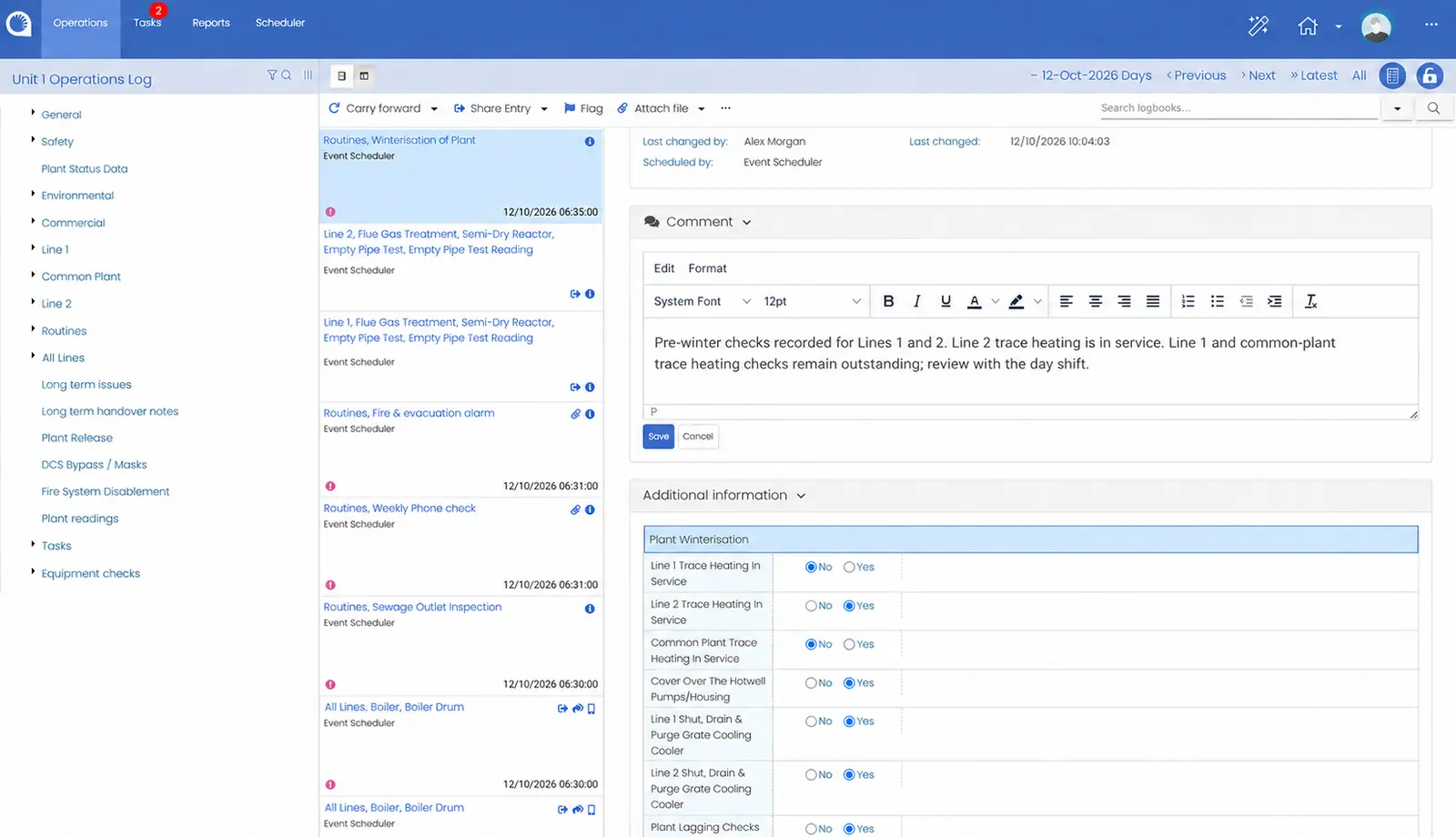
An operations logbook records what happened, when it happened and the context needed to understand it.
For a control-room or shift team, that might include a plant event, an equipment observation, a change in operating conditions or an instruction that affects the next shift.
Opralog brings these records into a shared system, reducing the need to search across separate paper logs, spreadsheets and emails to understand the situation.
Alongside the control room log, you can configure other functional logbooks, such as maintenance, safety, commercial and specialist equipment logbooks. Information is entered once and can be shared to other locations, such as the handover, manually or automatically. A full audit trail records everything that is done.
02 / What to record
Record events, observations and the decisions made in response. Keep the operational context available for later review and handover.
Keep instructions alongside the records used by shift teams. Configure instruction logbooks around your terminology and working practices.
Use Opralog’s configurable register-type logbooks to structure site-specific records. Agree the information, responsibilities and process required for each register during configuration.
Record work that needs attention and use configured tasks or notifications to support follow-up. Keep the original observation connected to the wider operational record.
03 / Configured per area
Different sites need different records. Opralog lets you configure logbooks, forms and behaviours around your operational processes. Depending on the process, that can include:
It should work for the people filling it in and for whoever reads it later.
A searchable electronic logbook gives teams a way to revisit earlier records rather than relying on recollection or locating a paper volume.
That history can support investigations into recurring issues, preparation for handover and operational reviews. It also gives the incoming shift access to information recorded before they arrived.
04 / Beyond the entry
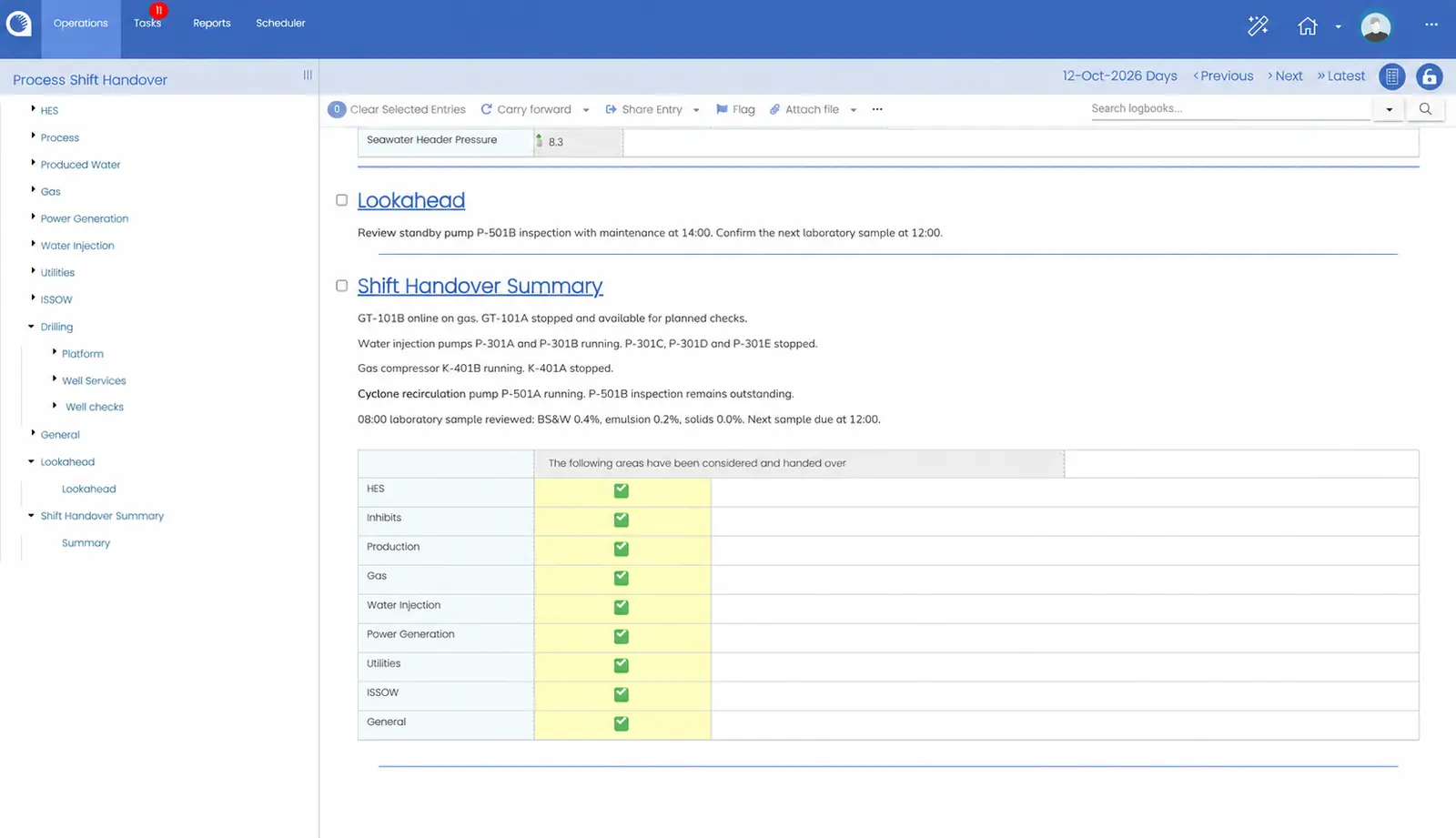
The operational log should remain useful after an entry is made.
Opralog connects day-to-day logging with shift handover, reporting and the review of outstanding issues. Teams can use the recorded information to support shift summaries and daily operations meetings.
Explore digital shift handover05 / Plant data and the field
Opralog has a standard two-way PI interface: it can read data from PI, write data to PI and create log entries automatically from PI data. OPC and a generic API are also available.
Mobilog is the optional mobile app for Opralog Web. Operators complete rounds and inspections, capture readings and observations, and add photographs at the point of work. Field information joins the shared record after synchronisation.
Agree which information the logbook needs and how operators will use it. Opralog’s generic interface and APIs let any external system connect, and we agree what’s connected for each project.
06 / Industrial operations
Infotechnics focuses on power generation, electricity transmission and distribution, and upstream and downstream oil and gas.
Opralog is also configurable for chemical operations, manufacturing and other industrial environments where information must remain available across shifts.
07 / Your questions
Practical questions about replacing paper logs, deployment and plant data.
Discuss your requirements ↗An electronic shift logbook, sometimes called an electronic shift log, replaces the paper control room logbook. Operators record events, readings and decisions as they happen, in a structured record you can search, and that record feeds the shift handover and reports.
Opralog can be configured to support the operational records currently managed in paper logs or spreadsheets. Start by agreeing which records to replace, who uses them and what information needs to be retained. Historic-data requirements should be reviewed separately.
Opralog is installed on your own servers or in your own private Azure or AWS environment. Infotechnics does not host it, and it is not supplied as SaaS.
Architecture and responsibilities are agreed for the implementation.
Opralog has a standard two-way PI interface: it can read data from PI, write data to PI and create log entries automatically from PI data. OPC and a generic API are also available.
Opralog’s generic interface and APIs let any external system connect. We agree what’s connected for each project, including data direction and implementation work.
Yes. Logbooks, forms and related behaviour are configured per area, within the same site-wide operational record.
08 / See it in context
Show us what your teams record today and who needs the information afterwards. We can demonstrate how Opralog could support that process, from the original entry through to handover and operational review.
Book a demo