Record the exception
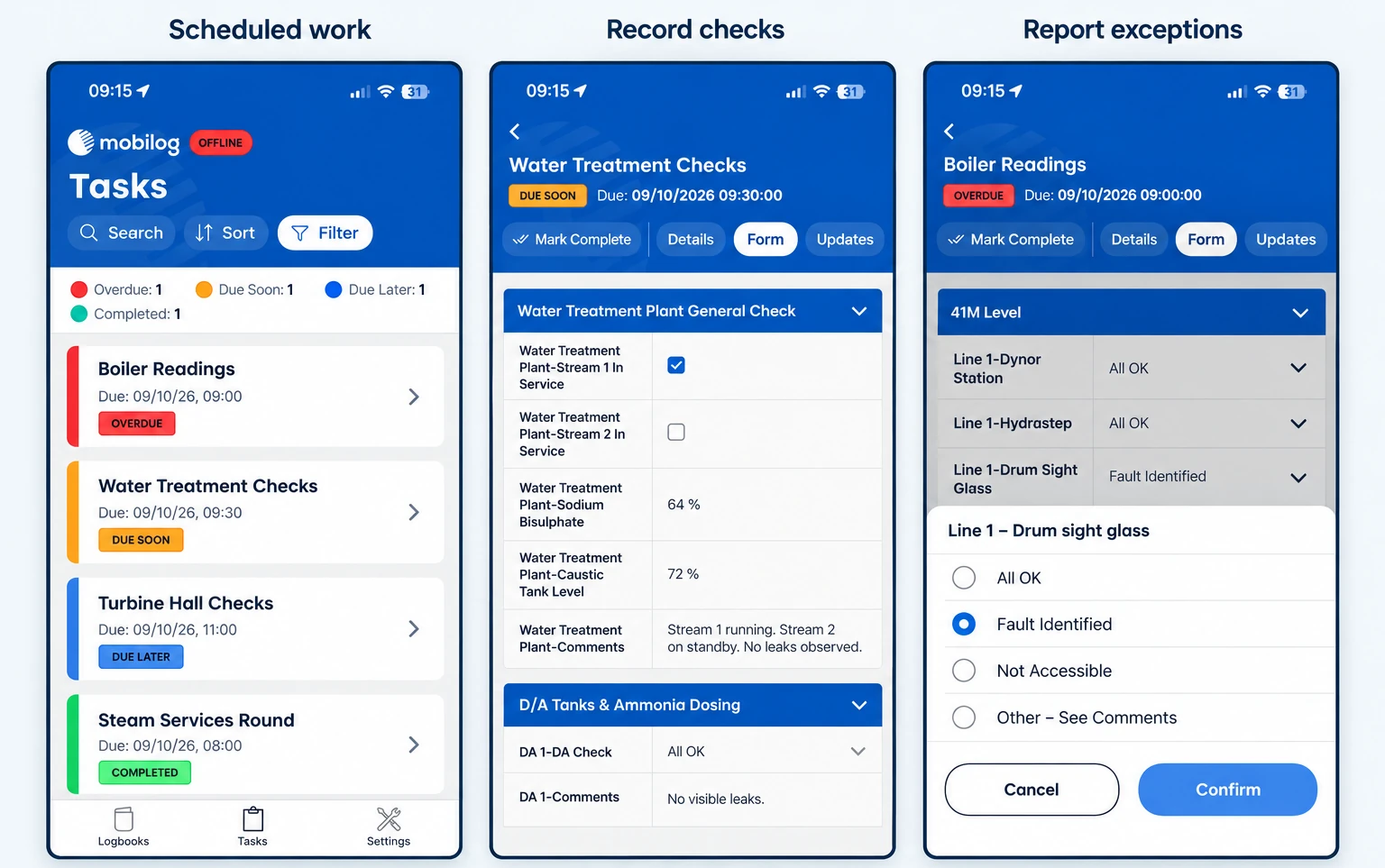
An operator reports a defect or records a reading outside a configured limit. The form can ask for an additional observation.
Give field operators the information they need to complete checks, and make their findings useful to the control room and next shift.
Mobilog is Infotechnics’ mobile app for operator rounds, plant inspections, readings and observations. It works with Opralog Web, where forms, processes, administration and reporting are configured.
Mobilog is optional, separately licensed and available for iOS and Android. Operators can capture information offline and synchronise it with Opralog when connectivity returns.
01 / Beyond the form
A completed inspection form is only part of the job. The result needs to reach the people who review it, understand its significance and take the next action.
Opralog and Mobilog connect those steps. Configure the process centrally, capture information in the field and bring the findings into the operational record used by control-room and shift teams.
02 / In Opralog
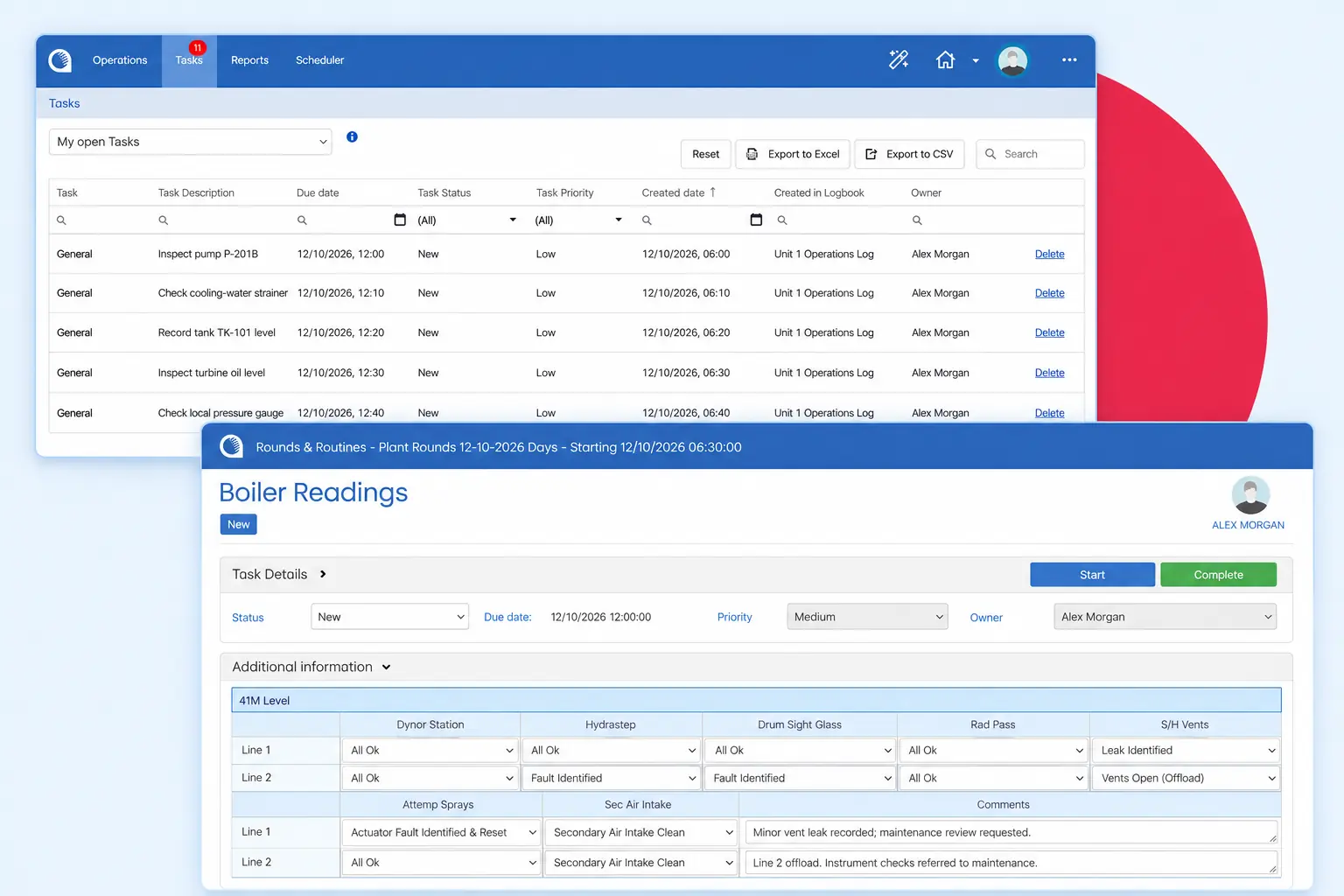
Configure forms and processes around the equipment, readings and observations your operators need to check.
Entries and tasks can be scheduled or assigned for routine duties. Operators can also create ad hoc entries when they find something outside the planned round.
Mobilog uses the same limits, warnings and form rules you set up in Opralog.
03 / In the field
Mobilog supports:
This helps operators record what they found and provide enough context for someone else to understand it.
04 / Connectivity
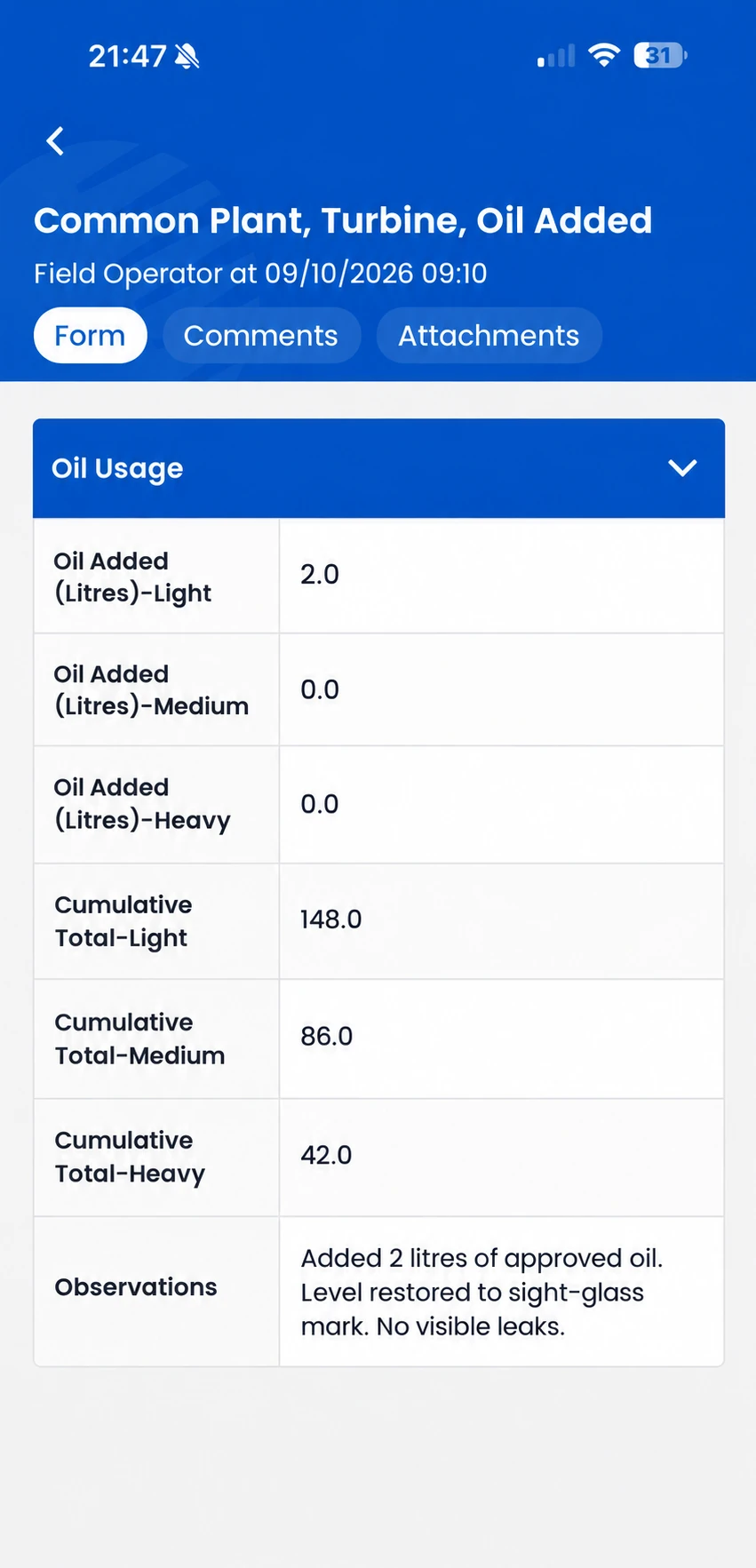
Mobilog supports online and offline use. Downloaded information remains available on the device, and new entries can be retained locally while disconnected.
Other teams, and any notifications, only see an entry once the device has synced. Saving it offline isn’t enough.
Device requirements, preparation and detailed synchronisation behaviour should be reviewed for your operating environment.
05 / Follow-up
An operator reports a defect or records a reading outside a configured limit. The form can ask for an additional observation.
After synchronisation, a configured trigger can create a task or notification for the relevant team.
Supervisors can see missed, incomplete and overdue checks, alongside the information recorded by operators.
The response is configured around your process. Not every abnormal reading needs the same action.
06 / Into the next shift
A field observation may matter well beyond the person completing the plant round.
Because Mobilog shares the Opralog operational record, synchronised readings, observations and reported defects can inform control-room review and the next shift’s handover.
Forms and processes are configured in the same platform used for operational logging, keeping field activity connected to the wider operation.
Explore shift handover softwareThe platform can be configured for activities such as:
We’ll set up the forms, limits and follow-up to match the way your site already works.
07 / Your questions
Practical questions about devices, scheduling and supervision.
Discuss your requirements ↗Operator rounds are the regular routes operators walk to check equipment, take readings and note anything unusual. With Mobilog they’re done on a phone or tablet, even without a signal, and the results go into Opralog when the device synchronises.
No. Mobilog requires Opralog Web. Opralog provides the central configuration, administration, operational record and reporting.
Yes. Entries and tasks can be scheduled or assigned, and operators can also create ad hoc log entries.
Mobilog supports iOS and Android. Confirm your device models, operating-system versions, connectivity and any RFID or barcode hardware requirements during technical review.
Yes. Supervisors can see missed, incomplete and overdue checks. Completion information collected offline becomes available centrally after synchronisation.
08 / See it in context
Bring one of your current inspection rounds or forms. We can demonstrate how it could be configured in Opralog, completed in Mobilog and reviewed by supervisors and shift teams.
Include an example of an abnormal result so we can explore the follow-up as well as the data capture.
Book a demo