
Record in the field
An operator records an unexpected reading in Mobilog and adds a comment and photograph.

Complete rounds, inspections and observations where the work happens. Mobilog is our mobile app for iOS and Android. It takes Opralog out into the plant. Operators get their forms, tasks and recent readings on the device, and what they record goes back into Opralog when they sync.
Mobilog is optional and separately licensed. It requires Opralog Web and cannot be used as a standalone inspection app or with the legacy Windows application.
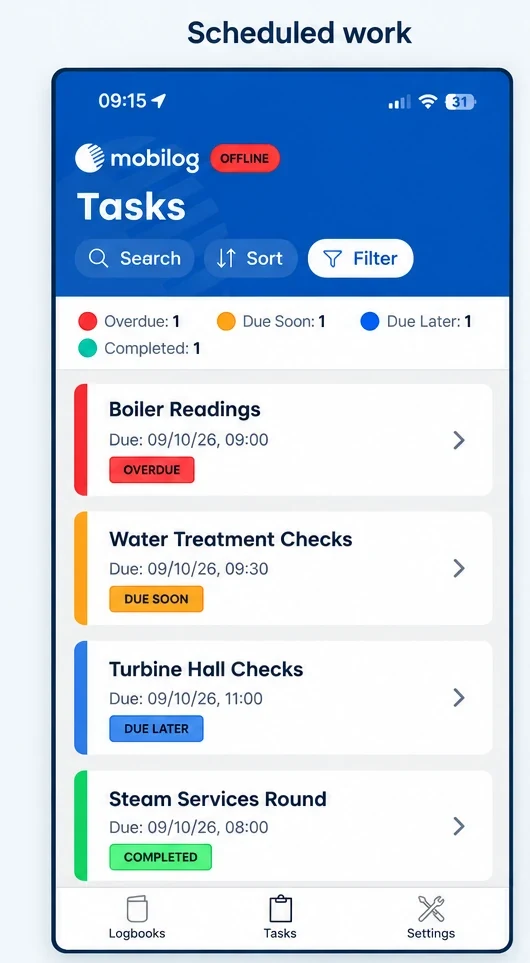
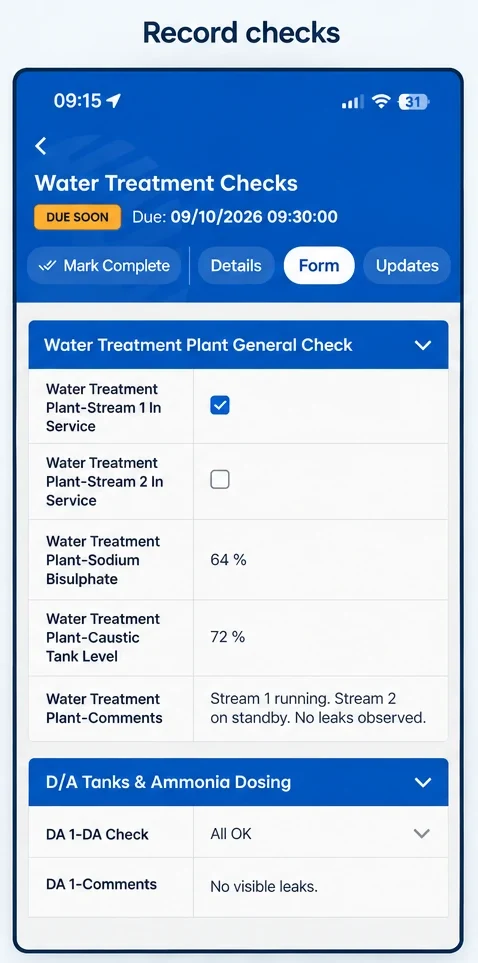
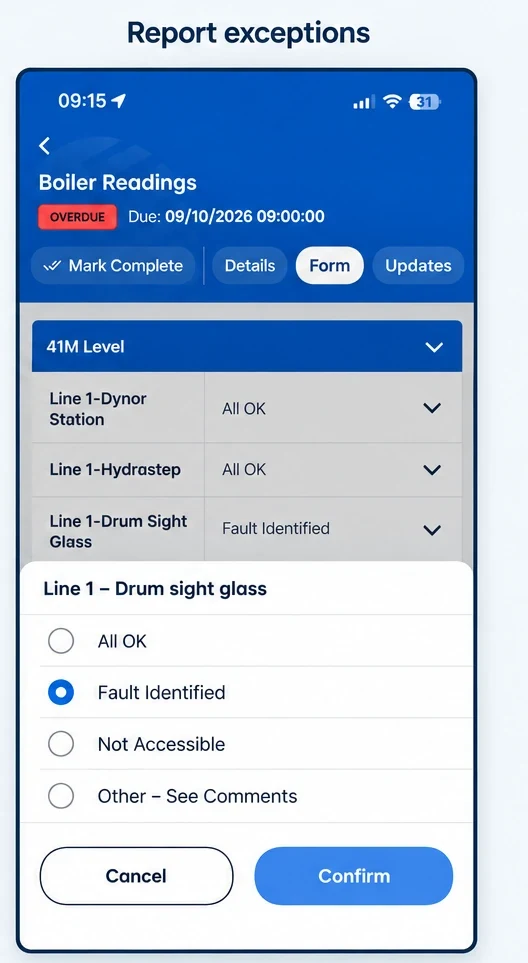
01 / One system
Forms, processes, administration and reporting are managed in Opralog. Mobilog uses the relevant configuration on the device, so field records follow the operational structure used by the wider team.
Operators capture information in Mobilog. After synchronisation, the findings are available in the central Opralog database for visibility, searching, review and reporting.
02 / On the device
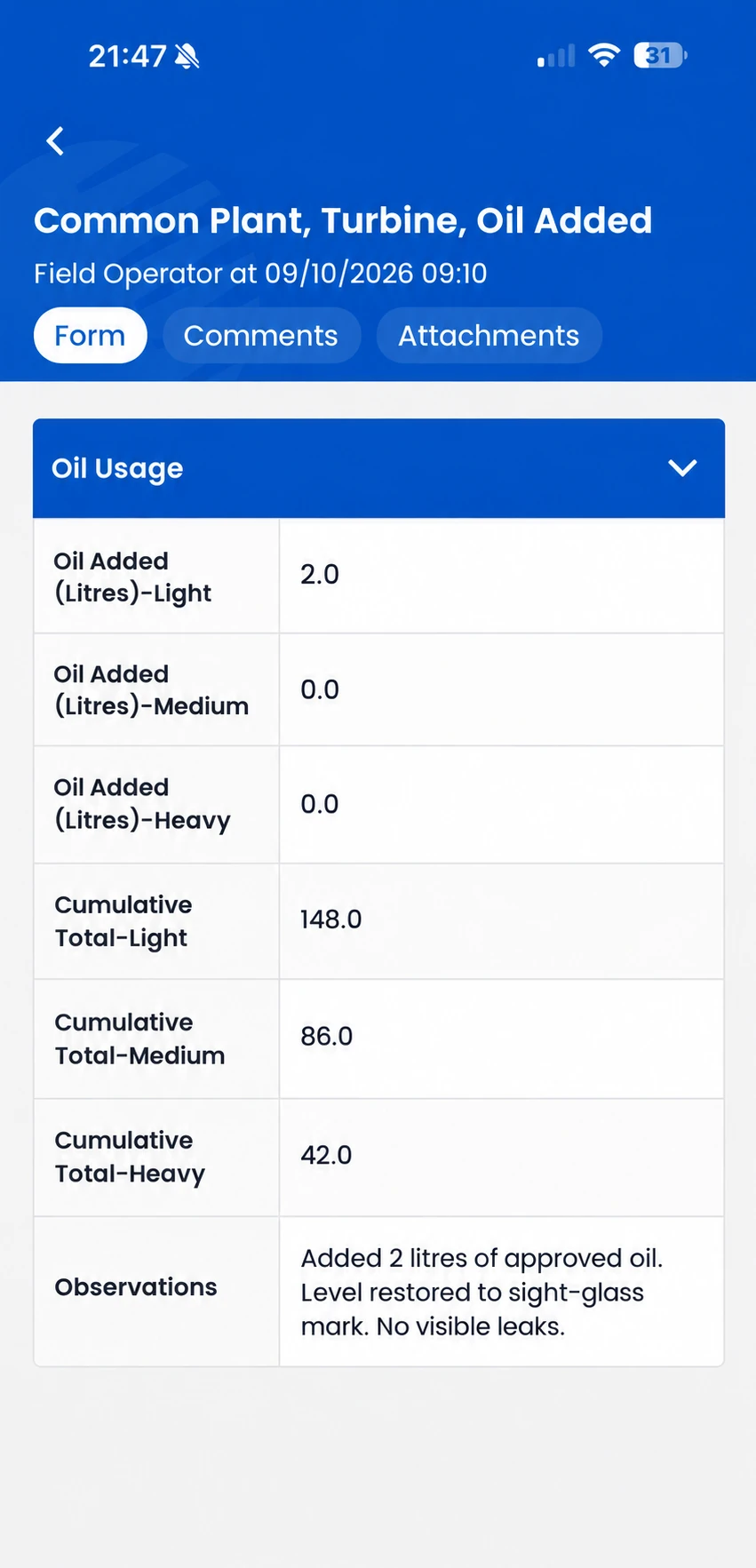
A number is more useful when the operator understands what it relates to and what has happened before.
Mobilog can show downloaded historic readings and use configured limits or warnings to draw attention to an unexpected result. Comments and photographs let the operator explain what they found, giving the person reviewing it more than a value in a form.
03 / Planned and unplanned
Use scheduled or assigned work for routine rounds and inspections. Operators can also make an ad hoc entry outside the planned work, such as recording an equipment observation during another task.
Supervisors can see missed, incomplete and overdue checks in the central system. Information captured offline is reflected centrally after synchronisation.
04 / Connectivity
| On the device while disconnected | After synchronisation with Opralog |
|---|---|
| Use information previously downloaded to the device. | Make new field entries available to other teams. |
| View downloaded historic readings. | Include synchronised findings in central reporting and operational review. |
| Capture new readings, comments, photographs and observations locally. | Support configured server-side notifications and follow-up tasks. |
Offline capture does not give the control room an immediate view of a new finding. Plan when devices will download the information needed and when operators can synchronise their records.
We’ll go through syncing, devices and how data is stored on them for your site.
05 / A practical example
An operator records an unexpected reading in Mobilog and adds a comment and photograph.
After synchronisation, the finding is available in Opralog, where a configured trigger can create a notification or task.
The control-room team and incoming shift consult the same operational record. The original observation remains part of the context for the work that follows.
The response depends on configuration, connectivity and your operating procedures.
06 / Getting started
Mobilog is designed primarily for operational rounds, inspections and field-based data capture.
07 / Your questions
Practical questions about devices, offline working and licensing.
Discuss your requirements ↗Mobilog is an optional, separately licensed app. It requires Opralog Web. Your proposal should identify the Mobilog licensing, technical setup and any configuration or training required.
Mobilog supports iOS and Android. Confirm supported operating-system versions, device models and any RFID or barcode hardware requirements during technical review.
You set up forms once in Opralog, and Mobilog uses them in the field. Administration and reporting also remain in Opralog. In the demo, we can show you how a change in Opralog reaches the device.
Operators can view historic information that has been downloaded to the device. Agree which information needs to be available and how devices are prepared before work begins in areas with poor connectivity.
No. An offline entry remains on the device until it is synchronised. Central visibility and server-side notifications depend on connectivity and synchronisation. Site procedures should define how operators communicate urgent conditions when disconnected.
Yes. Mobilog supports ad hoc logging as well as scheduled or assigned entries and tasks. Operators can record an unexpected condition without waiting for the next planned check.
No. Mobilog requires Opralog Web and is not compatible with the legacy Windows application.
08 / See it in context
Choose one routine check and one abnormal result. We can show how the process could be configured in Opralog, completed in Mobilog and reviewed centrally, including what happens when the device is offline.
Book a demo