
Paper logbooks have done the job in control rooms for decades, and they still have things going for them. They’re always there. Everyone knows how to use one. Nobody has to remember a password at 03:00. So before replacing them, be clear about why, and about how to do it without losing what works.
Where paper and spreadsheets let you down
It’s rarely the individual entry. It’s what happens afterwards.
Try finding last March’s feed pump trip. With paper, that means the right volume off the shelf and a lot of page turning. With a folder of spreadsheets, it means guessing which one.
Handwriting varies. One operator writes three careful lines, the next writes “P-101 trip, reset”. The detail the investigation will want next month often isn’t there.
A paper logbook can only be in one room. Maintenance, the shift manager and the engineer working from home can’t see it unless someone copies it out, and that’s usually where the spreadsheets and emails start. Before long the same event is written in three places, slightly differently each time.
And open items get lost. A job that wasn’t finished on Monday night has to be rewritten every shift, or it drops out of sight by Wednesday.
These aren’t only nuisances. After Buncefield, the fuel storage report found some sites relied on event-type or unstructured logbooks that didn’t clearly say what had to be passed on, and it set a minimum of structured, easy-to-read logbooks or computer displays for handover. (Safety and environmental standards for fuel storage sites, paras 119 to 123)
HSE makes a related point. Logbooks and computer displays used at handover should be designed with operators’ needs in mind, and end users should be involved when communication methods change. (HSE: Shift handover)
Keep what paper does well
Paper is quick. An operator can write an entry in a few seconds without looking away from the alarm screen for long. It’s always there. And it’s in the operator’s own words.
A digital system has to keep those. If an entry takes longer than writing it down, people will scribble on a pad and type it up later, or not at all. If there’s no room for a comment in plain words, you lose the context that made the old logbook worth reading.
Making the move to digital
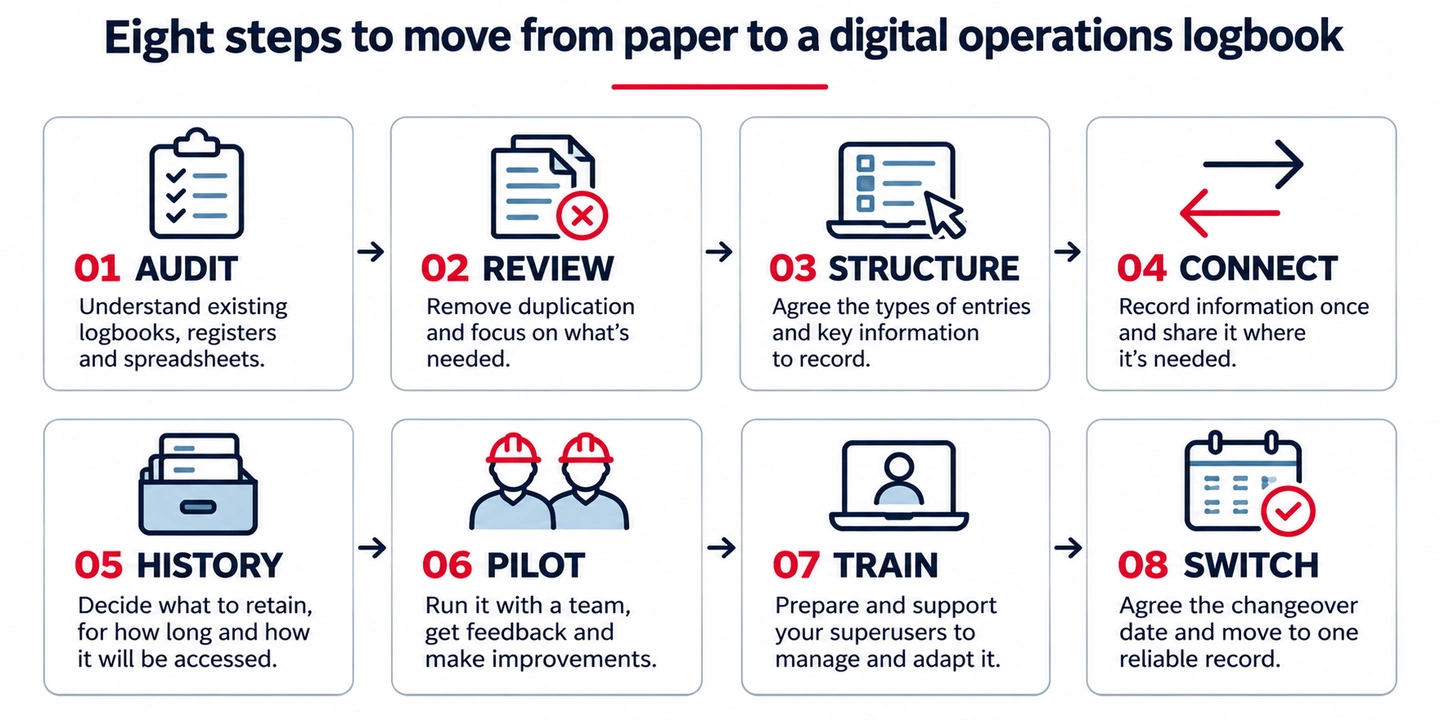
Find out what you’ve actually got. Walk round and list every logbook, register, spreadsheet and instruction file. Note who writes in each one, who reads it, and why. There are nearly always more than anyone expected, including a few that only one person knows about.
Work out what each record is for. Some are chronological: what happened, in order. Some are lists of what’s in place right now, such as overrides or isolations. Some are instructions. They behave differently and need setting up differently.
Agree the structure. For each logbook, agree the categories and event types operators choose from and the details each one needs. Done well, that means less typing. The operator picks “pump trip”, and the time and their name are added for them.
Record it once. If a maintenance entry matters for handover, nobody should have to write it twice. Decide which entries are shared into which logbooks and the handover, and whether that happens automatically or by choice.
Deal with the history separately. Old paper volumes and spreadsheets don’t have to be moved across in full. Decide what you need to keep, for how long, and whether it needs to be searchable. Don’t let it hold up go-live.
Pilot with one team. Pick one control room or area. Make sure the pilot covers the different shift teams and enough of their normal activities to test how the system works in practice. Then sit down with the operators. What’s slower? What’s missing? What’s better?
Train the people who’ll look after it. Logbooks change as the plant and procedures change. A few trained superusers on site can change categories, forms and workflows without waiting for the supplier.
Retire the paper on a set date. There’s nothing wrong with running paper and digital systems alongside each other during a controlled transition. But running both indefinitely creates duplication and uncertainty over which record is authoritative. Agree what needs to happen before the digital system becomes the primary record, and make sure everyone understands the changeover process.
The people side
For the people writing the record, the biggest change is that more people can see it, sooner. That’s the point, but it can feel uncomfortable for the people writing it, at least at first. Bring operators in early, explain why it’s changing, and act on what they tell you. HSE’s advice about involving end users applies here as much as anywhere.
Where Opralog fits
Opralog is our web-based operations logbook software, used in power, oil and gas and other 24/7 process industries. Sites set up their own logbooks, entry types and forms. Entries are recorded once and shared to other logbooks and the handover, and a full audit trail keeps every change. It’s installed on your own servers or in your private Azure or AWS environment.
There’s more on our control room logbook page.